What AI PC NPUs Actually Do (and Don't Do)
The tech world is buzzing with talk of "AI PCs" and their integrated Neural Processing Units (NPUs). You've likely heard the term, seen the marketing, and perhaps wondered: what exactly do these NPUs do, and more importantly, do I actually need one?
Understanding the AI PC Promise
Microsoft, a major proponent of the AI PC, describes these laptops as designed to run AI inference locally. The core idea is to offload specific AI tasks from the Central Processing Unit (CPU) and Graphics Processing Unit (GPU), thereby reducing strain, improving responsiveness, and extending battery life. This sounds great on paper, but to truly grasp its implications, we need to understand the division of labor between these processing units.
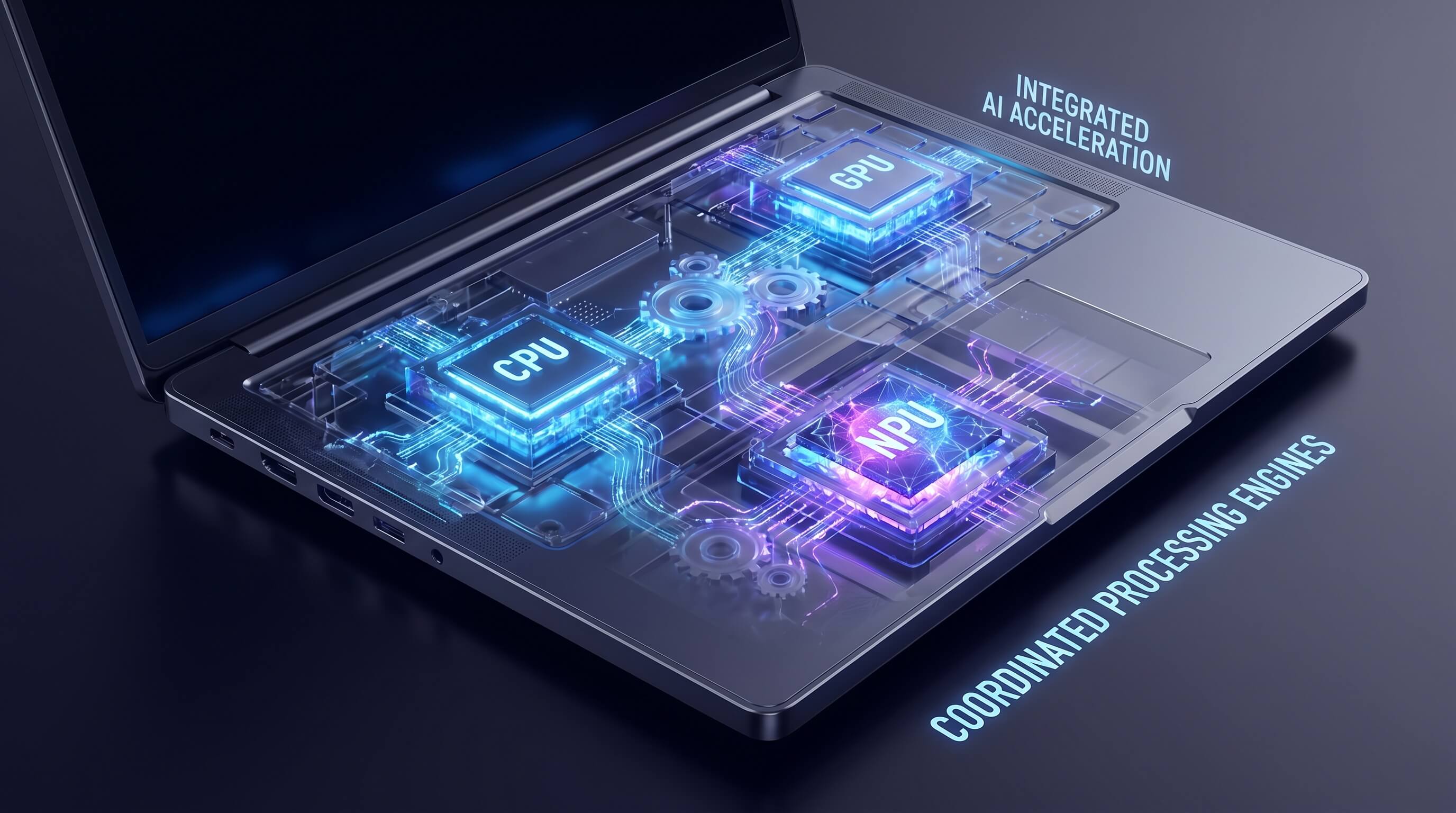
CPU, GPU, and NPU: A Simple Division of Labor
- CPU (Central Processing Unit): The Brain. The CPU is the general-purpose workhorse of your computer. It excels at sequential tasks, managing operating systems, running applications, and handling most of your day-to-day computing needs. Think of it as the meticulous project manager, handling one task after another with precision.
- GPU (Graphics Processing Unit): The Parallel Powerhouse. Originally designed for rendering complex graphics in games and visual applications, GPUs are incredibly efficient at parallel processing. This means they can perform thousands of calculations simultaneously. This capability makes them ideal for tasks like cryptocurrency mining, scientific simulations, and crucially, AI training and heavy machine learning inference, where vast amounts of data need to be processed concurrently. It's the large team of specialists, each working on a small part of a massive problem at the same time.
- NPU (Neural Processing Unit): The AI Specialist. The NPU is a dedicated accelerator specifically engineered for AI inference tasks. Unlike GPUs, which are general-purpose parallel processors, NPUs are optimized for the specific mathematical operations common in neural networks, such as matrix multiplications and convolutions. They are designed to perform these tasks with extreme power efficiency, making them perfect for sustained, low-power AI workloads that run in the background or for quick, on-device AI responses. Think of it as a highly specialized calculator, incredibly fast and efficient for one specific type of calculation.
Realistic Use Cases: What NPUs Actually Do Well Locally
So, what kind of "AI inference" are we talking about? NPUs shine in scenarios where AI models need to run frequently and efficiently on your device without constantly drawing power or relying on cloud servers. Here are some practical examples:
- Transcription and Live Captions: Imagine real-time conversion of speech to text during video calls or lectures. An NPU can handle this continuously, providing accurate captions without bogging down your CPU or draining your battery.
- Background Blur and Effects: During video conferences, applying a blurred background or other visual effects is a common task. NPUs can process the video stream and apply these effects efficiently, ensuring a smooth video experience even on less powerful machines.
- Noise Suppression: Eliminating background noise from your microphone feed during calls is another perfect NPU task. It can intelligently filter out distractions, making your voice clearer to others.
- Real-time Translation: While complex language translation might still lean on the cloud, simpler, on-device translation models for text or even basic voice commands can be accelerated by an NPU.
- Document Summarization: For lightweight models, an NPU can quickly summarize documents or emails, providing key takeaways without sending sensitive data to the cloud.
- Meeting Assistance: Features that identify speakers, generate action items, or provide quick summaries of meeting discussions can leverage NPU capabilities for local processing.
- Accessibility Features: Advanced accessibility tools like eye tracking, gesture control, or enhanced voice commands can benefit from the low-latency, efficient processing of an NPU.
- Copilot+ PC Features: Microsoft's new Copilot+ PCs promise features like "Recall" (a searchable photographic memory of your PC activity) and "Cocreator" (AI-powered image generation). While some aspects might still touch the cloud, the local inference components of these features are designed to run on the NPU.
What NPUs Don't Do (Important Caveats)
Despite the impressive capabilities, it's crucial to manage expectations. NPUs are not a magic bullet for all AI tasks:
- They Do Not Replace GPUs for Heavy AI Training: If you're an AI researcher or developer training complex neural networks on massive datasets, a powerful discrete GPU (or multiple GPUs) is still indispensable. NPUs are for inference, not training.
- They Don't Replace GPUs for Professional Creative Work: High-end video editing, 3D rendering, and professional graphic design still rely heavily on the parallel processing power of a robust GPU. The NPU's specialized nature doesn't extend to these general-purpose graphical computations.
- Many Advanced AI Features Still Rely on the Cloud: While NPUs enable more local AI, many of the most powerful and complex generative AI models (like advanced large language models for creative writing or highly detailed image generation) still require the vast computational resources of cloud data centers. Your NPU might handle the front-end interaction, but the heavy lifting happens remotely.
- Performance Varies: Not all NPUs are created equal. Performance can differ significantly between generations and manufacturers. An NPU in a budget laptop might offer basic acceleration, while a high-end NPU in a premium device will provide a much more robust experience.
The Main Angle: Does it Matter for Your Workflow?
This is the million-dollar question. Buyers are constantly bombarded with "AI PC" marketing, but the useful question is: which jobs run better locally, and does that improvement genuinely impact your workflow?
- For the Average User: If your daily tasks involve frequent video calls, light document work, and general productivity, an NPU can subtly enhance your experience. You might notice smoother background effects, clearer audio, and potentially better battery life during AI-accelerated tasks. The benefits are often "under the hood" rather than immediately obvious.
- For AI Developers or Heavy Creative Professionals: While an NPU is a nice addition, it won't fundamentally change your primary workflow. You'll still rely on powerful GPUs for training and rendering.
- For Those Seeking Privacy and Responsiveness: Local AI processing means your data doesn't have to leave your device for certain tasks, enhancing privacy and reducing latency. This is a significant benefit for sensitive information or applications requiring immediate responses.
Conclusion: A Step Towards Smarter Computing
NPUs are a significant evolutionary step in personal computing, pushing more AI capabilities to the edge device. They are excellent at what they're designed for: efficient, low-power AI inference for specific, repetitive tasks like real-time audio/video processing and lightweight content generation. They are not a replacement for powerful GPUs in training or heavy creative workloads, nor do they eliminate the need for cloud-based AI for the most complex models. As the technology matures, we can expect NPUs to become even more integral, making our PCs smarter, more responsive, and more power-efficient in handling the growing array of AI-powered applications. For now, understand their strengths and limitations, and consider how they align with your actual computing needs.