The Browser Is Becoming the Default Workspace for AI Agents
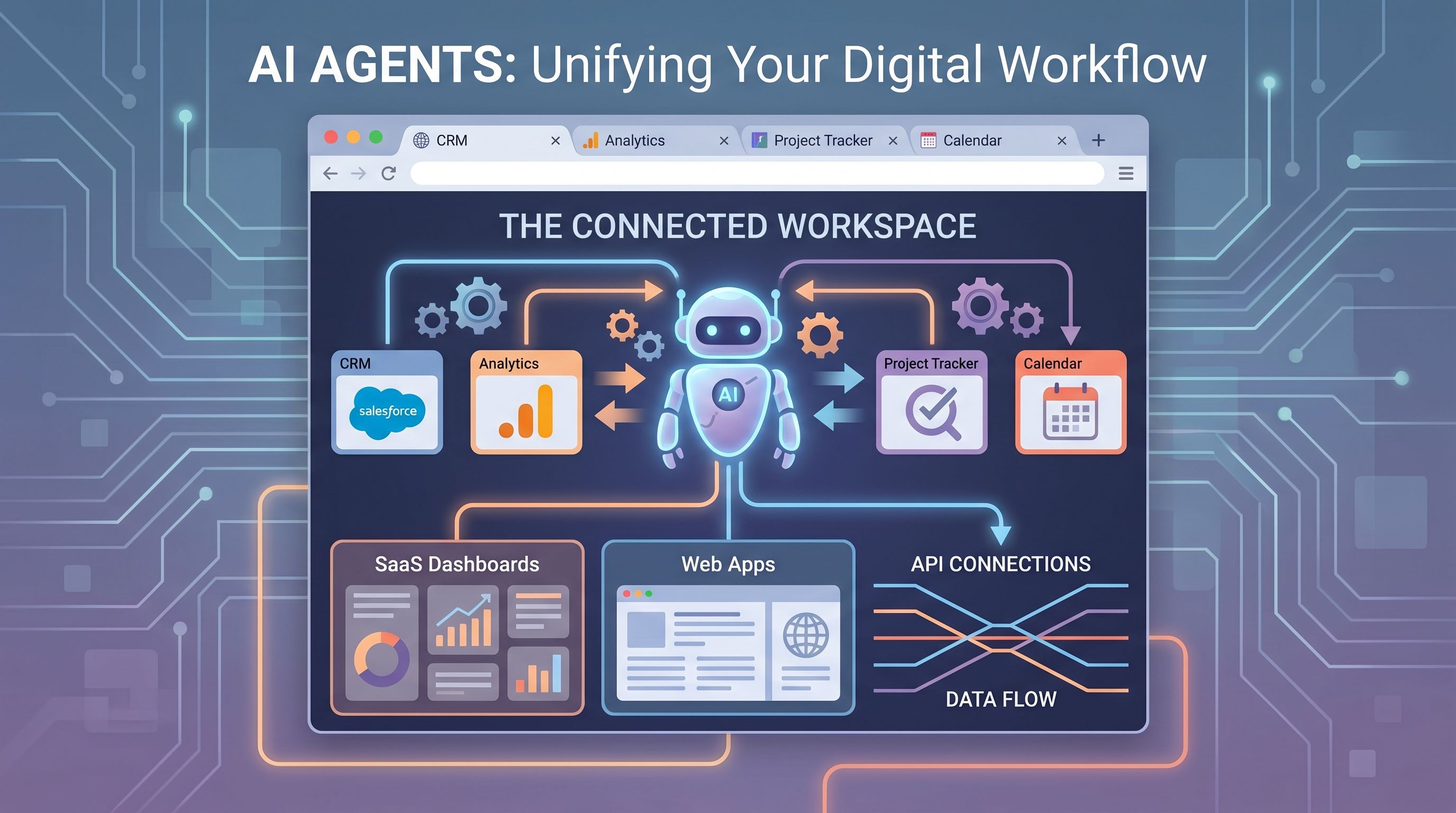
AI agents are often described as if they live primarily inside a chat box, but that is becoming a misleading mental model. The place where agents are proving most useful is increasingly the browser, because that is where modern knowledge work already happens. Email, CRM systems, dashboards, docs, internal tools, ticketing queues, commerce consoles, and collaboration apps all sit behind tabs. If an agent needs live context and a path to action, the browser is usually where both already exist.
This is more than a convenience. The browser gives AI agents a working surface that combines human context, application state, and reachable interfaces. Tabs show what the user is currently doing. Web apps expose structured controls. APIs and automations can sometimes sit behind the same tasks. That combination makes the browser a natural execution environment, not just a viewing window. In practice, the browser is becoming the default workspace for agents because it is where intention, information, and action are finally close enough to connect.
Why the browser is such a strong fit
Most organizations have standardized around SaaS, and SaaS means browser workflows. Even when native apps exist, the canonical administrative or collaborative experience is often web-first. That gives agents a huge advantage. Instead of requiring deep operating system hooks into a fragmented set of desktop tools, an agent can operate where the workflows are already consolidated.
The browser also provides a coherent model of state. A page contains visible content, open forms, current filters, selected records, and authentication context. An agent that can understand those signals is much closer to useful work than one responding to abstract prompts without access to the surrounding workflow. This is why browser-native agent experiences often feel more grounded and action-oriented than standalone chat.
Tabs are context containers
One reason browser-based agents are becoming more capable is that tabs are more informative than they appear. A user's open tabs often represent active projects, unresolved tasks, research trails, and pending decisions. They can show which account is being edited, which report is under review, which customer record matters now, or which document needs revision.
That context is incredibly valuable because it reduces the amount of prompting a human needs to do. Instead of describing everything from scratch, the user can work alongside an agent that already sees the current page and its immediate goal. This lowers friction and makes delegation more natural. The browser becomes a shared workspace rather than a passive container for websites.
Web apps are increasingly agent-friendly, even when they were not designed that way
Many web applications were built for human clicks first, not for AI automation. Yet they still offer agents a practical environment because their interfaces are structured, repetitive, and tied to defined business actions. A ticket can be triaged, a lead can be updated, a form can be completed, a dashboard can be queried, and a draft can be edited, all within consistent browser patterns.
Where APIs exist, the browser becomes even more powerful. An agent may gather context from the visible page, then use an API or integration to execute more reliably in the background. That hybrid model matters. Pure UI automation can be brittle, while pure API automation can be blind to the human workflow. The browser sits at the junction of both.
The browser solves a trust problem too
People are more likely to trust agents when they can see where the work is happening. The browser makes actions legible. Users can watch an agent inspect a record, fill a field, compare documents, or prepare a response. That visibility is important for oversight, especially in early deployments where humans still want to verify intent before execution.
This is one reason browser-based agent products often resonate faster than invisible back-end automations. They create a sense of shared work. The user is not sending a request into a black box. They are watching an assistant operate inside the same environment they use, with the same applications and the same objects on screen.
Limits still matter
Calling the browser the default workspace does not mean it is the perfect workspace for every agent task. Authentication boundaries, inconsistent interfaces, CAPTCHAs, rate limits, hidden states, and fragile front-end changes can still break workflows. Some jobs are far better served through direct API access or back-end orchestration. Others require local files, terminal access, or mobile context that the browser cannot fully provide.
The important point is that the browser does not need to handle everything to become the center of gravity. It only needs to remain the place where a large share of business activity is visible and controllable. For many knowledge workflows, that threshold has already been crossed.
What this means for product teams
Software teams building for AI agents should think carefully about browser operability. That includes clean information architecture, consistent UI labels, reliable keyboard and state behavior, well-structured pages, and APIs for high-value actions. The best products will support a layered model: understandable interface for humans, machine-tractable structure for agents, and APIs for robust execution.
Teams should also rethink what a “workspace” means. If users increasingly bring agents into CRM systems, docs, support tools, and analytics consoles through the browser, then each web app is no longer just a destination. It is part of a larger multi-tab operational surface where agents can coordinate work across systems.
Practical advice for organizations adopting agents
Companies trying to get value from agents should start where browser workflows are repetitive, high-volume, and easy to supervise. Customer support back offices, sales operations, internal research, recruiting coordination, and finance follow-ups are good examples. These are domains where the browser already concentrates context and where a human can quickly review the agent's output.
It is also wise to map which tasks should stay UI-level and which should shift to API-backed execution. The strongest deployments typically use the browser for context and user trust, while relying on integrations for actions that must be reliable at scale.
The next interface layer
The browser is becoming the default workspace for AI agents because it has quietly become the default workspace for people. It contains the tabs, SaaS surfaces, and action pathways that modern work depends on. Agents that can operate there do not need a brand-new computing paradigm. They need to plug into the one enterprises already use all day.
That does not make the browser permanent or exclusive. But right now, it is the most practical arena where AI agents can observe, reason, and act with useful context. For the next phase of agent software, that makes the browser less of a window to work and more of the workbench itself.