PCIe 5.0 SSDs Are Outrunning Laptop Thermals
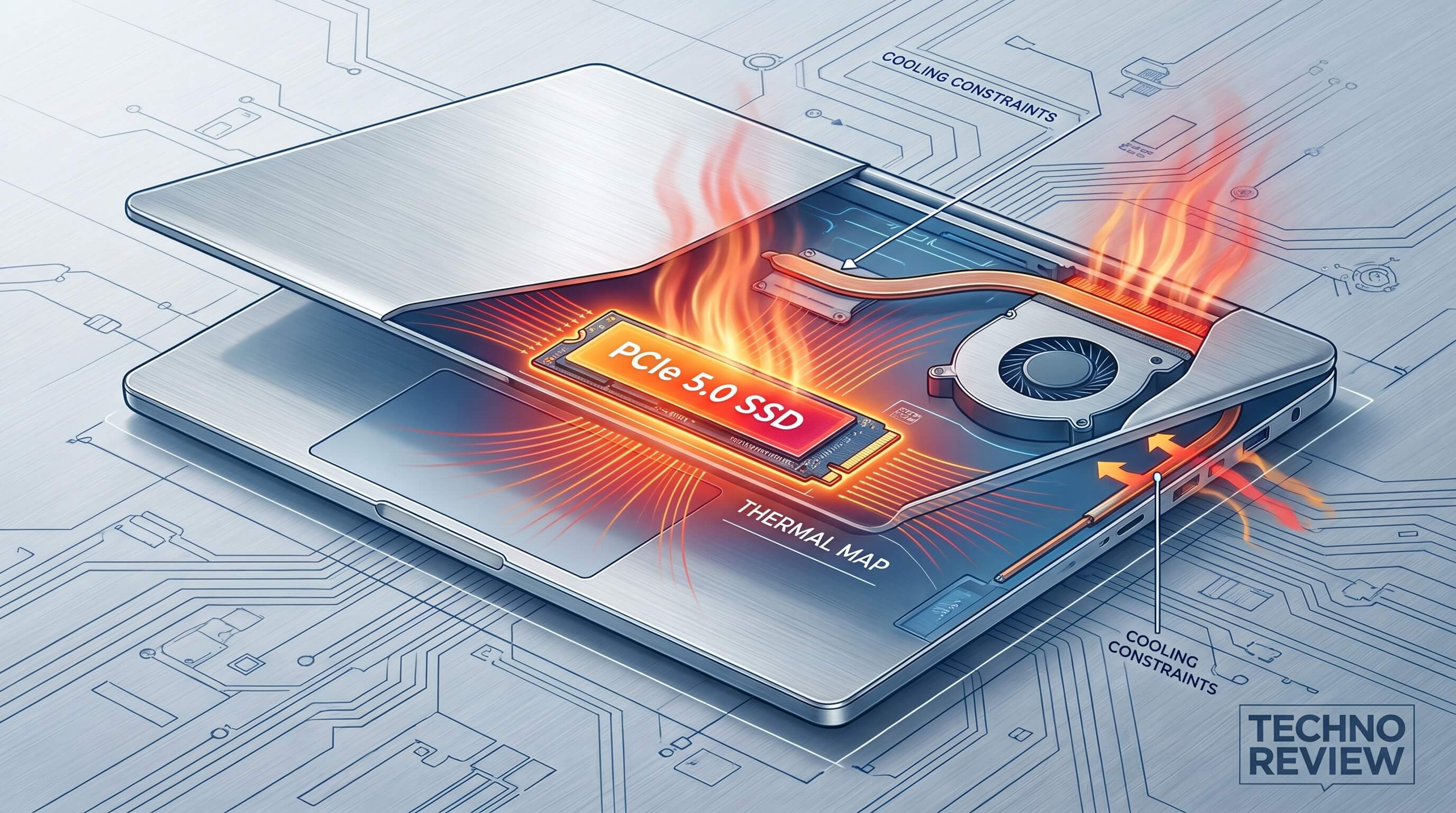
PCIe 5.0 SSDs are arriving with desktop-class ambition just as laptop design keeps pushing toward thinner chassis, quieter fan curves, and tighter thermal sharing between CPU, GPU, battery, and storage. That tension matters more than benchmark charts suggest. In many notebooks, especially slim performance models, a fast Gen5 drive is not limited by the interface first. It is limited by how quickly the controller and surrounding motherboard area heat up under sustained work.
The thesis is simple: PCIe 5.0 SSDs are beginning to outrun what mainstream laptop thermal envelopes can comfortably support, and that means buyers should care less about peak sequential numbers and more about sustained behavior, power draw, single-sided layouts, and cooling integration. For most mobile users, the real question is no longer “Can I install a Gen5 SSD?” but “Will this laptop let a Gen5 SSD stay fast without turning the whole system into a heat bottleneck?”
Why Gen5 storage changes the thermal math
PCIe 5.0 roughly doubles interface bandwidth over PCIe 4.0, and flagship drives have chased that advantage aggressively. The problem is that higher throughput usually arrives with hotter controllers, more demanding firmware behavior, and heavier burst power draw. Industry coverage around recent Gen5 launches has repeatedly highlighted active cooling, thick heatsinks, or improved controller efficiency as core talking points, which says a lot by itself. When vendors market thermal survival as a feature, the market has already admitted the constraint.
In a desktop tower, that heat can often be managed with a proper heatsink and direct airflow. In a laptop, the SSD sits in a cramped zone near other hot components, sometimes under a thin shield, sometimes under the keyboard deck, and often sharing thermal headroom with everything else. A drive that looks excellent in an open-air desktop test bench can behave very differently when tucked into a compact notebook running exports, game installs, large code compiles, or local AI asset loads.
Controllers, not just NAND, are the real hotspot
The controller is the part that usually makes or breaks mobile Gen5 behavior. NAND flash itself can tolerate warmth better than many people expect, but the controller is doing the heavy coordination work: queue management, error correction, caching logic, wear leveling, and host communication at very high speed. That is why newer controllers built on smaller process nodes matter so much. A 6 nm or 7 nm controller is not marketing trivia in laptops. It can be the difference between a fast burst and a drive that throttles halfway through a real task.
This is also why some of the more interesting 2025 Gen5 announcements have emphasized efficiency rather than raw records. Vendors are clearly trying to make single-sided, lower-power drives that fit notebook constraints better. That is a healthier direction than pretending every laptop needs the same kind of storage profile as an enthusiast desktop.
What throttling looks like in real laptop use
Thermal throttling on an SSD is easy to miss because it does not always feel dramatic. A laptop may still boot quickly and open apps instantly. The issue shows up when work stays heavy for long enough that heat accumulates. Think of a creator exporting 4K footage to internal storage, a developer unpacking large containers and dependencies, or a gamer moving a 150 GB library between drives. The first chunk of the transfer may look spectacular. A minute later, speeds can step down in stages as the controller protects itself.
Example 1: a thin 14-inch laptop with a high-end CPU and no dedicated SSD heatsink may benchmark beautifully after a cold start, then slow sharply during a long media ingest because storage heat soaks into an already warm motherboard area.
Example 2: a gaming laptop may handle a Gen5 drive better while fans are active, but sustained downloads, patching, and decompression can still raise SSD temperatures enough to reduce consistency, especially if the slot sits near the GPU exhaust path.
Example 3: a workstation notebook may technically support Gen5, yet deliver a better user experience with an efficient top-tier Gen4 drive because the latter holds stable performance with less noise and less battery penalty.
Laptop cooling priorities were not built around SSD hero numbers
Laptop thermal design is mostly optimized around the components that dominate total system power: processors and graphics. SSDs matter, but they are rarely given the same cooling priority. That made sense in the Gen3 and much of the Gen4 era, when storage was fast enough for most mobile workflows without becoming a major thermal character in the story. Gen5 changes that balance by making storage another component that can ask for meaningful power during sustained transfers.
That creates awkward tradeoffs. If fan curves stay conservative, the SSD warms faster. If the chassis pushes more airflow, acoustics suffer. If the laptop uses a thicker thermal pad or shield, it may help the drive but move heat into a different part of the system. And if the machine is unplugged, higher storage power can also mean faster battery drain during large local operations.
Who actually benefits from mobile Gen5 today
There are real users for Gen5 in laptops. Mobile video editors working with large scratch files, engineers moving massive project datasets, and some AI or simulation workflows can absolutely benefit from higher peak bandwidth and stronger queue depth behavior. But even in those cases, the benefit depends on the entire platform being designed around it. A laptop that merely lists “PCIe 5.0 support” is not making the same promise as a laptop that pairs the slot with a cool-running controller, thoughtful shielding, and airflow that remains effective under long load.
For everyone else, the value proposition is shakier. Everyday productivity, gaming load times, office work, browsing, and even most content creation tasks are often already served extremely well by strong PCIe 4.0 drives. In those machines, an efficient Gen4 SSD may be the better mobile part because it spends less of the laptop’s thermal budget chasing benchmark numbers the user will rarely feel.
What buyers should look for instead of headline speed
1. Efficient controller generation
Smaller-node controllers and newer low-power designs matter more than a record sequential read claim.
2. Single-sided laptop-friendly layout
Single-sided drives generally fit more systems cleanly and are easier to cool in tight notebook spaces.
3. Sustained performance reviews
Look for long-transfer testing, not just short synthetic peaks. A stable 7 GB/s can be more useful than a brief 13 GB/s spike followed by throttling.
4. OEM thermal implementation
A thin foil shield is not the same as a serious thermal design. Laptop-specific reviews matter.
5. Battery and acoustics impact
If a faster SSD increases fan activity or power draw during real work, that cost should be part of the buying decision.
The likely near-term outcome
The good news is that the industry already sees the problem. Controller shrinks, lower-power client designs, and notebook-friendly Gen5 products suggest the market is adapting. Over time, Gen5 will become normal in laptops. But right now, the interesting story is not that storage got faster. It is that laptop thermal engineering has to catch up before that speed becomes consistently useful away from a desktop.
That is why PCIe 5.0 SSDs feel slightly ahead of their natural home in mobile computing. The interface is ready. The controller ecosystem is improving. The marketing is loud. But many laptops still treat storage as a secondary thermal citizen. Until that changes, the smartest mobile storage choice will often be the drive that runs coolest and most consistently, not the one with the most dramatic box score.