Memory Bandwidth and Thermals Drive Real AI Laptop Performance
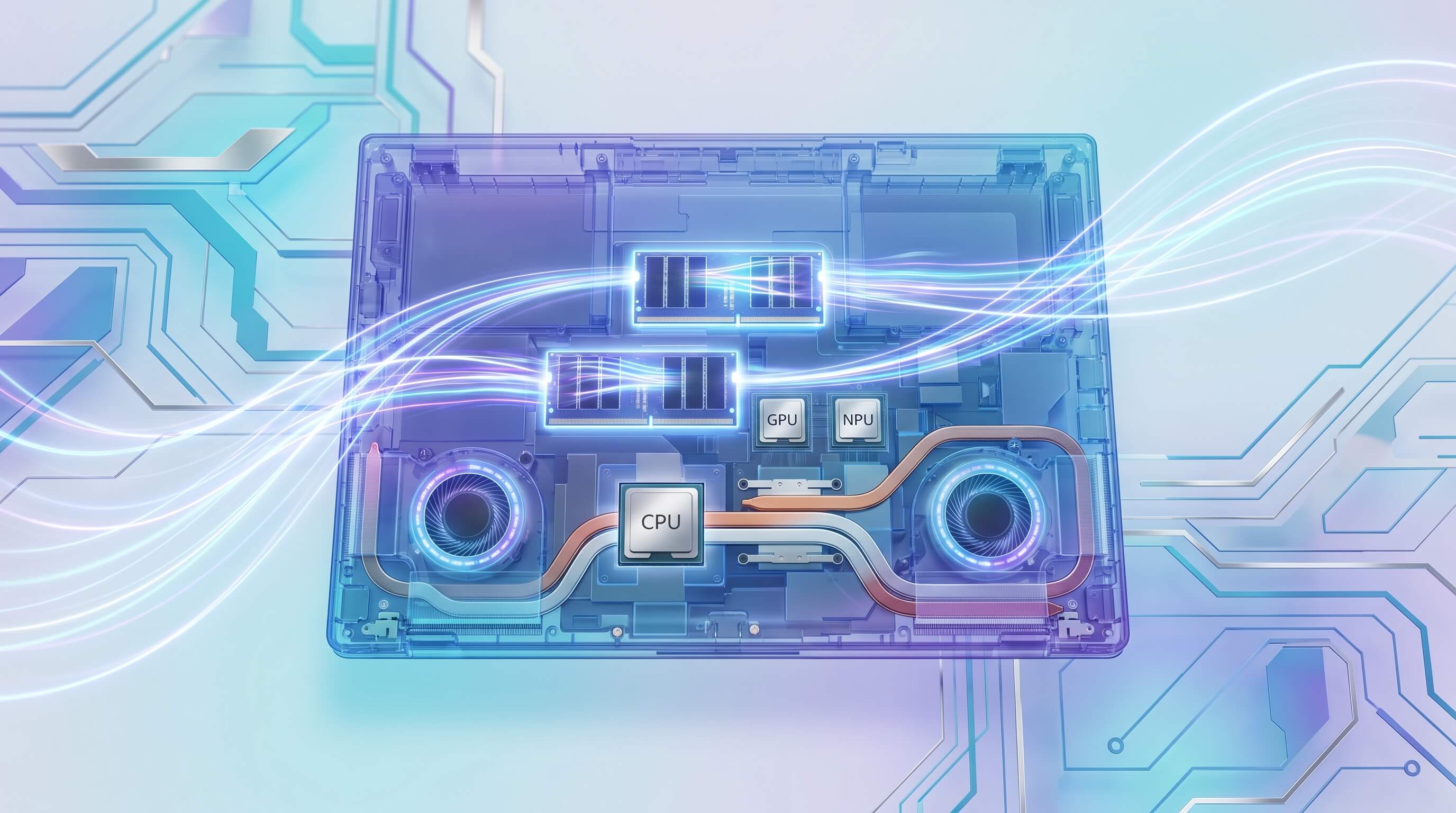
The marketing around AI laptops in 2024 and 2025 heavily emphasizes Neural Processing Units (NPUs) and their Tera Operations Per Second (TOPS) ratings. With the advent of Copilot+ PCs requiring a minimum of 40 TOPS, consumers are led to believe that a high NPU number directly translates to robust local AI capabilities. This focus, however, obscures the true architectural bottlenecks that dictate practical performance for running large language models (LLMs) or complex image generation locally. While NPUs are a critical component for power-efficient AI inference, their raw compute power is often rendered moot by limitations in memory bandwidth, available RAM capacity, and the laptop's ability to sustain performance under thermal load.
For any serious local AI workload, whether it's running a sophisticated LLM like Llama 3 or generating high-resolution images with Stable Diffusion, the system's ability to move vast amounts of data quickly and efficiently is paramount. A powerful NPU with 40 or even 70 TOPS will sit idle or underutilized if it cannot be fed data fast enough, or if the model itself cannot fully reside in accessible memory. This article will dissect the roles of the CPU, GPU, and NPU, explain why memory architecture and thermal design are the unsung heroes of AI laptop performance, and provide actionable insights for consumers looking beyond marketing hype to make informed purchasing decisions for 2026 and beyond.
Beyond NPU TOPS: Understanding the AI Compute Landscape
Neural Processing Units are specialized accelerators designed to efficiently handle matrix multiplications and other common operations in neural networks. Their primary advantage lies in their power efficiency for specific AI inference tasks, making them ideal for background effects like eye contact correction, noise suppression, or simple image segmentation. Companies like Qualcomm, Intel, and AMD are all integrating increasingly powerful NPUs into their mobile processors, with benchmarks often highlighting their impressive TOPS figures.
However, TOPS alone represent only one facet of AI performance. Consider the distinct roles of the three primary processing units in a modern laptop:
- CPU (Central Processing Unit): The general-purpose workhorse, the CPU orchestrates system operations, manages data flow, and can execute AI models, particularly smaller ones or those not optimized for specialized hardware. It excels at latency-sensitive tasks and provides fallback for workloads not suited for GPU or NPU.
- GPU (Graphics Processing Unit): A parallel processing powerhouse, GPUs are indispensable for training large AI models and for running complex inference tasks that require massive parallel computation. Their architecture, especially with dedicated VRAM, offers significantly higher memory bandwidth than typical system RAM, making them ideal for large-scale LLMs and image generation where model weights and intermediate data are substantial.
- NPU (Neural Processing Unit): Optimized for specific AI inference patterns, NPUs offer superior power efficiency for recurrent tasks. They are excellent for offloading certain AI computations from the CPU or GPU, thereby extending battery life and freeing up other resources. However, their effectiveness is highly dependent on software optimization and the specific model architecture. Many large, unquantized LLMs or complex diffusion models simply cannot run entirely or efficiently on current NPUs due to model size and architectural limitations.
The synergy between these components is crucial. An NPU might accelerate a specific part of an AI pipeline, but if the preceding or subsequent steps are bottlenecked by CPU performance or, more commonly, by data transfer speeds, the overall user experience suffers.
The Undeniable Dominance of Memory Bandwidth and Capacity
When running substantial AI models locally, the single most critical factor often overlooked is memory. This encompasses both the sheer capacity of RAM and, even more importantly, the speed at which data can be moved to and from that RAM—the memory bandwidth.
RAM Capacity: More Than Just a Number
Large language models are precisely that: large. A common 7-billion parameter LLM, even when quantized (reduced precision) to 4-bit integers, can still require around 8GB of RAM just for its weights. Add to this the space needed for activations, the context window (the portion of the prompt and generated text the model "remembers"), the operating system, and other running applications, and 16GB of RAM quickly becomes a bare minimum, often insufficient for a smooth experience. For more capable models (e.g., 13B parameters or larger) or for running multiple models simultaneously, 32GB or even 64GB of RAM becomes essential. Without adequate RAM, the system resorts to swapping data to slower SSD storage, leading to significant performance degradation and stuttering.
Memory Bandwidth: The Unsung Hero
Even with ample RAM, if the data cannot be accessed quickly enough, the NPU or GPU will starve for data. Memory bandwidth measures how much data can be read from or written to memory per second. AI models constantly shuffle vast quantities of data—model weights, input prompts, intermediate calculations, and output tokens—between the main memory and the processing units. If the memory bandwidth is low, the NPU or GPU, despite its high TOPS rating, will spend a disproportionate amount of time waiting for data, effectively becoming bottlenecked. This translates directly to slower inference times for LLMs and longer generation times for image models.
Modern laptops typically use LPDDR5X or DDR5 memory. While LPDDR5X often offers higher bandwidth and better power efficiency than standard DDR5 in a mobile form factor, the specific configuration matters. Factors like the number of memory channels (e.g., 256-bit wide memory interfaces common in Apple Silicon, versus narrower 128-bit interfaces in many PC laptops) and the memory clock speed significantly impact the overall bandwidth. A processor with a high-TOPS NPU paired with a narrow, lower-bandwidth memory subsystem will inevitably underperform compared to a system with a balanced architecture, even if the latter has a theoretically lower NPU TOPS number.
Storage Speed: The Initial Hurdle
While not strictly "memory" in the same sense as RAM, the speed of your laptop's storage device (SSD) plays a crucial role in AI performance. Large AI models need to be loaded from storage into RAM before they can be used. A fast NVMe PCIe Gen4 or Gen5 SSD ensures that this initial loading process is quick. Furthermore, if your RAM capacity is insufficient and the system needs to swap parts of the model to disk, a high-speed SSD mitigates the performance hit, though it's still significantly slower than RAM.
The Critical Role of Thermals in Sustained Performance
AI workloads are inherently compute-intensive and often sustained. Unlike bursty tasks like opening an application or loading a webpage, running an LLM to generate a long response or iterating on an image generation prompt can keep the CPU, GPU, and NPU under heavy load for extended periods. This continuous computation generates significant heat.
Laptops, by their very nature, are constrained by their compact form factors and limited cooling solutions. When components reach a certain temperature threshold, the system automatically "throttles" performance to prevent overheating and potential damage. This means that a laptop boasting impressive benchmark scores for a few seconds might drastically reduce its clock speeds and power draw when faced with a real-world, sustained AI task. The advertised 40+ TOPS NPU might only deliver its peak performance for a short burst, then drop significantly, leading to a frustratingly slow experience.
Effective thermal management—including robust cooling systems with vapor chambers, larger fans, and efficient heat pipe designs—is therefore paramount. A laptop designed for sustained high performance will feature a more advanced cooling solution, allowing the CPU, GPU, and NPU to operate at higher clock speeds for longer durations. When evaluating AI laptops, look beyond initial benchmark numbers and seek reviews that specifically test sustained performance under heavy, continuous load. This distinction between burst and sustained performance is a key differentiator for practical AI applications.
Practical Implications for Local AI Workloads
Understanding these bottlenecks provides a clearer picture of what to expect from an AI laptop:
- LLMs: Running a 7B parameter LLM with a decent context window locally demands at least 16GB of RAM, but 32GB provides a much smoother experience, allowing for larger context windows and potentially running multiple models or other applications concurrently. The speed of inference (tokens per second) will be directly tied to memory bandwidth. Quantization techniques (e.g., Q4, Q8) are crucial for fitting larger models into available RAM, but they come with a tradeoff in accuracy or perplexity.
- Image Generation: Models like Stable Diffusion are highly demanding, especially for higher resolutions or complex prompts. While NPUs might assist with certain pre-processing steps, the core generation often relies heavily on the GPU and its dedicated VRAM. Laptops without a discrete GPU will struggle with image generation, even with a high-TOPS NPU, as the integrated GPU shares system RAM and its bandwidth is limited.
- RAG (Retrieval Augmented Generation): Implementing local RAG systems involves storing large vector databases (stressing SSD speed), loading relevant chunks into RAM (stressing RAM capacity and bandwidth), and then using an LLM for generation (stressing NPU/GPU/CPU and memory). Each component must be robust for RAG to be effective.
While Qualcomm, Intel, and AMD are all pushing their NPU capabilities, the underlying system architecture remains the true determinant of real-world AI performance. Qualcomm's Snapdragon X Elite/Plus chips, for example, boast impressive NPU TOPS and excellent power efficiency, but their overall AI prowess in demanding tasks will still depend on the memory subsystem they are paired with. Similarly, Intel's Core Ultra (Meteor Lake) and upcoming Lunar Lake processors, and AMD's Ryzen AI chips, integrate powerful NPUs alongside capable CPUs and integrated GPUs. The balance across these components, particularly memory bandwidth and thermal design, is what ultimately matters.
Actionable Takeaways: Prioritizing Specs for Your Next AI Laptop (2026)
When considering an AI laptop, look beyond the headline NPU TOPS number. Here’s what to prioritize for genuinely capable local AI performance:
- RAM Capacity is King: Aim for a minimum of 32GB of RAM. If your budget allows and local AI is a primary focus, 64GB will provide significantly more headroom for larger models and complex workflows.
- High Memory Bandwidth: Look for laptops featuring LPDDR5X or high-speed DDR5 memory. Investigate the memory interface width if possible; wider interfaces (e.g., 256-bit) offer superior bandwidth. This specification is often less advertised but is critical.
- Robust Cooling System: Seek out professional reviews that test sustained performance under heavy CPU, GPU, and NPU loads. A laptop that maintains high clock speeds for extended periods without throttling is a strong indicator of good thermal design.
- Fast NVMe SSD: Ensure your laptop comes with a PCIe Gen4 or, ideally, Gen5 NVMe SSD. This accelerates model loading and mitigates performance dips if the system needs to swap data.
- Consider a Discrete GPU for Specific Tasks: If your primary local AI use case involves heavy image generation or very large LLMs that benefit from dedicated VRAM, a laptop with a discrete GPU (even a mid-range one) will offer superior performance compared to relying solely on an integrated GPU and NPU.
- NPU TOPS as a Baseline: Treat the 40+ TOPS requirement for Copilot+ as a necessary entry point, but not the sole differentiator. Once this baseline is met, focus your attention on the other system components that truly unlock the NPU's potential.
The future of AI on laptops is bright, but navigating the marketing landscape requires a deeper understanding of underlying hardware principles. By prioritizing memory bandwidth, RAM capacity, and thermal management alongside NPU capabilities, consumers can choose a laptop that delivers on the promise of powerful, efficient local AI.