Documents Are Becoming Lightweight Apps Again
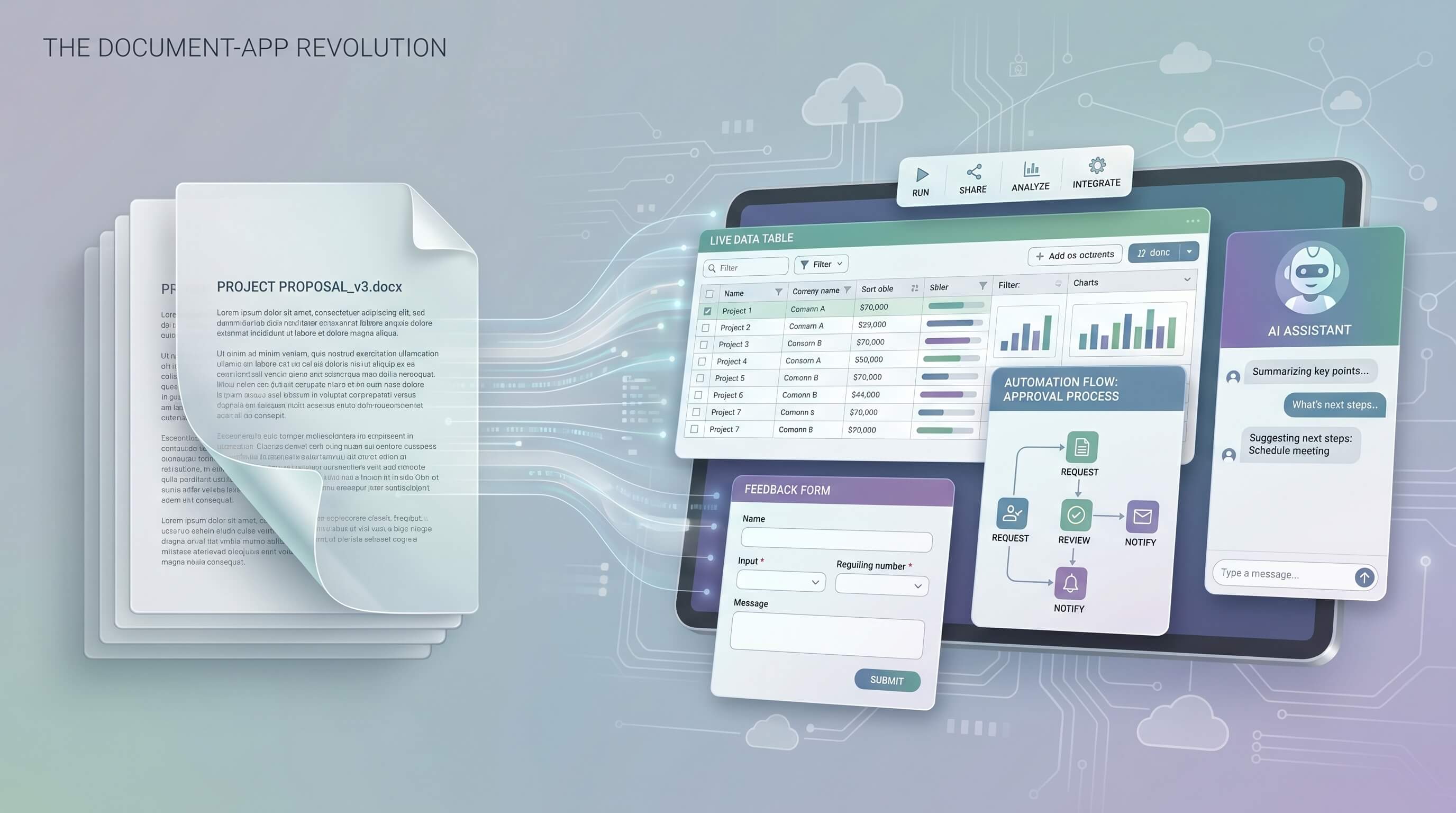
Documents are regaining something software lost when spreadsheets, wikis, and text editors were separated into clean product categories: the ability to be both readable and operational at the same time. A modern document can hold narrative context, structured data, workflow state, embedded forms, approvals, and automation triggers in one place. That makes it feel less like a passive file and more like a lightweight app that teams can run parts of their business inside.
The important shift is not that documents now have more features. It is that collaborative docs, database layers, embedded automation, and AI assistants are collapsing the distance between writing something down and acting on it. Teams no longer need to move from a plan in one tool to a tracker in another tool to a form in a third tool before work becomes executable. In many cases, the document itself has become the interface where the work is defined, updated, routed, and reviewed.
Documents are becoming operating surfaces, not just knowledge containers
For years, documentation tools were treated as places to explain work after the real work happened elsewhere. Product requirements lived in docs, but tickets lived in issue trackers. Sales playbooks lived in docs, but approvals lived in email. Operations checklists lived in docs, but execution lived in internal tools. That split created constant copying, stale context, and version confusion.
Newer document platforms are closing that gap. A product spec can now contain a live database of open decisions, a launch checklist with owners, a bug intake form, and an AI assistant that summarizes blockers before the weekly review. A client onboarding document can include a form for collecting requirements, a table that tracks handoffs, and automations that notify the next team when a step is complete. The doc is no longer just describing a workflow. It is hosting the workflow.
Structured data changed what a document can do
The biggest enabler is the quiet spread of structured blocks inside writing tools. Once a document can contain rows, properties, statuses, relations, and filtered views, it stops being plain text with decoration. It starts behaving like a simple application layer. Notion databases, Coda tables, Airtable-style embeds, and similar systems made this visible, but the broader pattern matters more than any single vendor.
Consider a hiring packet. In an older setup, the interview plan sat in a doc, candidate status sat in an ATS, and interviewer notes were scattered across emails and meeting notes. In a document-app model, the hiring packet can include role context, evaluation criteria, linked candidate records, scorecards, and follow-up tasks in one working surface. Readers do not need to translate prose into action manually because the action model already sits beside the prose.
Forms and buttons turn reading into execution
Forms are another reason documents are looking like apps again. When a page includes intake forms, approval buttons, task creation, or embedded requests, it becomes a controlled entry point into a workflow. Instead of asking people to read instructions and then go somewhere else, the document can collect the needed input immediately.
This matters in practical team settings. An IT runbook can include a service request form directly below the policy. A marketing campaign brief can include a creative request button that routes assets for review. A partnership playbook can collect deal details in a standard form and automatically create downstream tasks for legal and finance. Each of these examples removes a coordination gap that used to be handled by memory, Slack messages, or manual follow-up.
Automation makes the document stateful
Traditional documents were stateless. You could read them, edit them, or comment on them, but they did not do much in response to changes. Automation changes that. When a document update can trigger a notification, assign an owner, create a record, or request approval, the page starts acting like a workflow engine with a readable front end.
A team operating review is a good example. Instead of preparing a slide deck and separately updating metrics in a dashboard, a company can maintain a weekly review doc where numbers refresh from connected sources, status fields change by owner, and automations chase missing updates before the meeting starts. The result is not only convenience. It is better operational hygiene because the system nudges the process forward while the context stays visible to humans.
AI assistants are the final layer that blurs docs and apps
AI assistants make document-app hybrids more useful because they reduce the effort required to navigate dense context and keep workflows moving. Inside a modern doc, an AI assistant can summarize a long decision log, extract action items from a meeting transcript, propose a project update in the team’s preferred format, or answer questions based on the page and its linked data.
The real advantage is not novelty. It is interface compression. A project lead can ask, “What is blocked, who owns it, and what changed since Monday?” and get an answer grounded in the document, related tables, and recent edits. A customer success manager can generate a renewal brief from notes, product usage summaries, and open risks without building the document from scratch. In both cases, the document starts to feel like an application screen with a conversational layer attached.
Why teams should care about this shift
When documents become lightweight apps, teams gain speed, but they also take on design responsibility. A bad document-app is worse than either a clean document or a clean app because it mixes weak structure with unclear process. The opportunity is real only when the page has explicit fields, ownership, and rules for how information moves.
The best use cases share three traits. First, the work needs human-readable context. Second, it has enough repetition to benefit from structure. Third, it suffers when information and action are separated across too many tools. Project briefs, launch plans, incident runbooks, vendor onboarding, research repositories, and internal approvals all fit this pattern well.
How to build better document-app workflows
Start with one recurring process
Choose a workflow that currently lives in a document but repeatedly leaks into chat, email, and spreadsheets. Add a small data model, a clear status system, and one form or button that reduces manual steps.
Keep narrative and structure side by side
Do not force teams to choose between readable context and operational precision. Put the explanation, decision history, and instructions beside the table, checklist, or form that runs the process.
Use automation for handoffs, not for everything
Automate notifications, record creation, reminders, and approval routing. Avoid turning the page into a maze of brittle logic that nobody understands.
Use AI for synthesis, not authority
AI works best when it summarizes, drafts, and retrieves context. It should help people move faster inside the workflow, not silently become the source of truth.
Actionable takeaway
If your team already manages real work from documents, stop treating that as a temporary hack. Audit the highest-friction document in your process and redesign it as a lightweight app: add structured fields, embed the intake form, automate the next handoff, and give users an AI assistant for summaries and search. The line between docs and apps is already blurring. The practical advantage goes to teams that design for that reality instead of working around it.