AI PCs are exposing the memory bandwidth problem laptop buyers rarely see
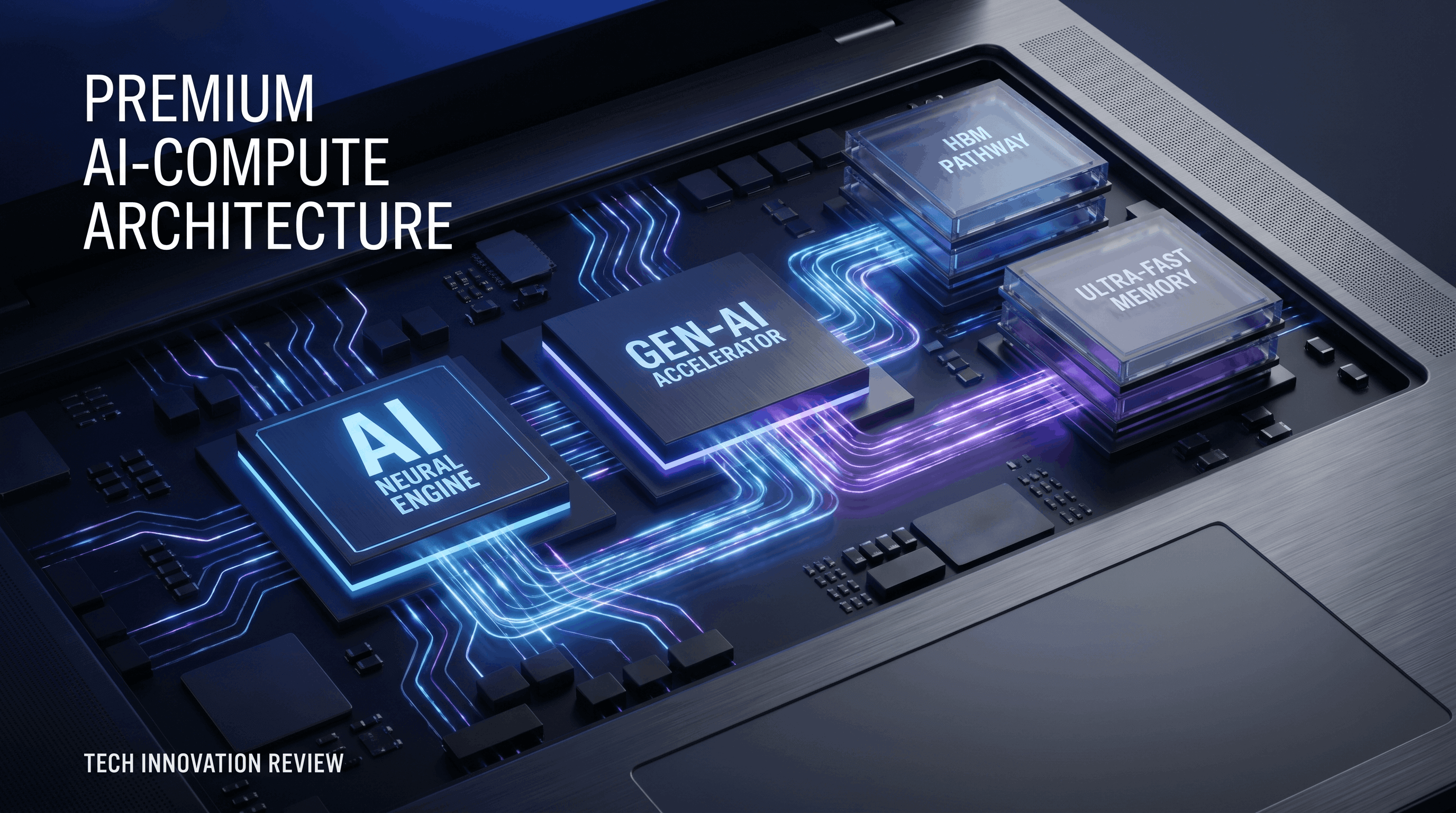
AI PCs are arriving with a familiar pattern: a new spec gets turned into a marketing badge long before most buyers understand what actually limits performance. This time the badge is NPU throughput. The quieter story is memory bandwidth.
My thesis is simple: for many local AI workloads on laptops, memory movement is becoming as important as raw compute. Vendors can keep advertising TOPS, but if systems cannot feed models efficiently enough, buyers will end up paying for silicon they rarely feel. Over the next few hardware cycles, laptop architecture decisions around memory will matter more to practical AI performance than another round of branding around neural features.
Why the bottleneck is shifting
For years, mainstream laptop performance conversations revolved around CPU core counts, GPU bursts, battery life, and thermals. AI adds a different pressure pattern. Many inference tasks, especially with larger context windows, multimodal models, or constant background assistance, spend a surprising amount of time moving data between memory and compute blocks rather than saturating arithmetic units.
That matters because a laptop is a constrained system. Even when the NPU is capable on paper, the total experience depends on how quickly weights, activations, embeddings, and local context can be delivered where they need to go. If memory bandwidth is limited, local AI features can feel slower, become more aggressive about quantization, or fall back to the cloud more often than the product messaging implies.
This is one reason the AI PC conversation is harder than the smartphone NPU story. Phones also care about bandwidth, but they benefit from tighter vertical integration and a shorter list of expected workloads. Laptops are being asked to support developer tools, office copilots, local transcription, image features, browser-side AI, and increasingly hybrid workflows that mix CPU, GPU, and NPU resources in the same session.
TOPS does not tell the whole story
TOPS is useful as a rough indicator, but it is becoming an easy metric to overread. A laptop with a strong NPU does not automatically deliver better real-world local AI if the surrounding memory subsystem cannot sustain the workload. This is especially true for models that are too large to fit comfortably in the fastest local caches and therefore need frequent access to shared system memory.
That creates a gap between demo performance and practical performance. A vendor can showcase a tightly optimized task that fits the hardware well. Real users, meanwhile, may run multiple apps, larger local models, background browser tabs, and operating-system services that all compete for memory bandwidth at the same time.
The result is that AI laptops will increasingly be judged less by peak inference demos and more by how gracefully they handle concurrency. Can the system transcribe a meeting, summarize documents, keep a browser full of tabs alive, and run a local assistant without feeling constrained? In many cases, memory architecture will answer that before compute marketing does.
Why laptop makers should care now
This is not a theoretical issue for chip architects alone. It affects product planning. If OEMs want laptops that feel meaningfully better at local AI two years from now, they need to think beyond dropping in a newer processor generation and calling it an AI PC refresh.
Memory capacity and bandwidth are becoming product strategy decisions. A machine with 16GB of RAM and a respectable NPU may look acceptable in 2026 spec sheets, but it can age quickly if local AI features expand across the operating system and third-party apps. Buyers who were already stretching RAM with browsers, creative tools, and developer workflows now have a new background consumer of memory resources: AI services that want to stay resident and responsive.
That means OEMs face an uncomfortable choice. They can keep pushing attractive entry configurations that look affordable at checkout but underdeliver on longer-term AI usefulness, or they can normalize higher-memory tiers and faster architectures earlier than they might otherwise prefer. The second option is better for users, but it complicates margin structure and product segmentation.
Where the bottleneck shows up first
Local assistants and knowledge features
Laptops are increasingly expected to summarize files, answer questions about local content, and keep some level of context active across tasks. These features sound lightweight, but they often involve embeddings, vector retrieval, indexing, and repeated inference passes that stress memory more than a simple benchmark suggests.
Creative and media workflows
Image generation, enhancement, object selection, and local video features can quickly become bandwidth-sensitive when large assets are involved. Even when the GPU does much of the work, the overall system still depends on moving data efficiently between memory and compute blocks.
Developer machines
Developers are one of the clearest examples of why AI PC marketing can get misleading. A machine may look strong in consumer AI demos but still feel cramped once containers, local models, IDEs, browsers, and collaboration tools all compete for the same memory pool. In this environment, raw NPU branding matters less than whether the system architecture avoids bottlenecks under real multitasking pressure.
What buyers should look for instead
Buyers should stop treating AI PC labels as a shortcut for future-proofing. A more useful approach is to examine the total platform: RAM capacity, memory type, bandwidth, thermal design, and whether the vendor clearly explains which AI features run locally versus in the cloud.
If you plan to keep a laptop for several years, higher memory configurations are becoming easier to justify even if your current workload seems moderate. The value is not only traditional multitasking headroom. It is the ability to absorb a steady increase in local AI services without turning every advanced feature into a performance compromise.
For enterprise buyers, this means pilot testing matters more than launch slogans. Evaluate how a candidate system behaves with the actual mix of productivity apps, browser load, security tooling, and AI features your workforce will use. An impressive NPU number on a slide will not tell you whether users will silently default back to cloud workflows because local responsiveness is inconsistent.
Actionable takeaways
If you are a laptop buyer, prioritize balanced systems over the most aggressively marketed AI badge. If you are an OEM, assume that memory decisions made today will define whether your 2026 and 2027 AI PCs still feel credible in practice. If you are a software vendor shipping local AI features, optimize for memory efficiency early rather than assuming every new AI PC will have headroom to spare.
The next phase of the PC AI market will not be won only by who has the highest TOPS number. It will be won by which systems make local AI feel consistently useful under real workloads. That is a memory story as much as a compute story, and buyers should start treating it that way.